·
Nära app icon: a sage-green heart

Nära

Close, even from afar. Every morning Mum or Dad taps one big button, All Well, and the family knows all is well. If the tap doesn’t come, Nära lets the right people know, one step at a time.

Daily check-in · photo news from the family · medicine and appointment reminders · big call buttons · set up remotely by the family · syncs through iCloud.

Coming soon to the App Store How your data is handled

For iPhone, iPad and Mac. Requires iOS 17 or macOS 14. In Swedish, English and German.

No accounts, no ads, no tracking, no servers of ours. Everything stays in your family’s own iCloud.
See it in use

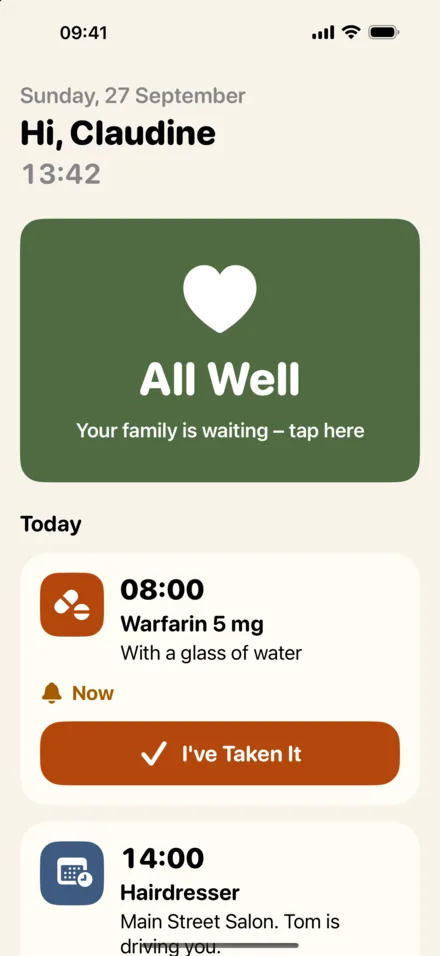
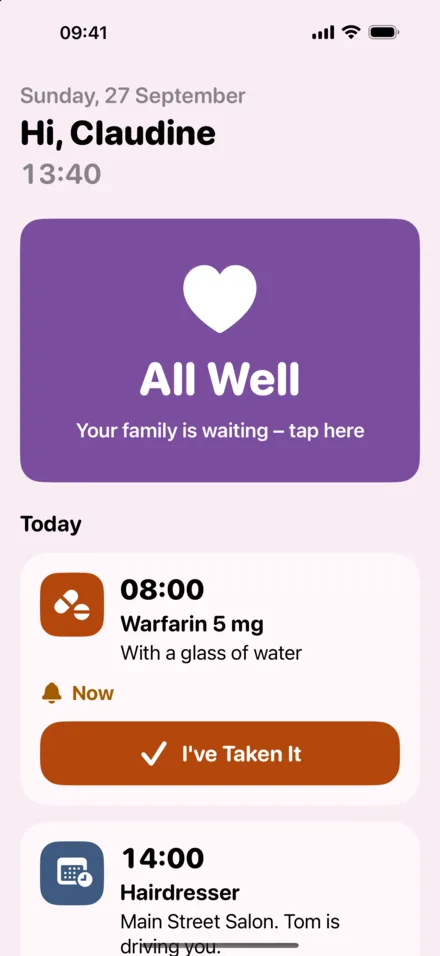
Nära on the senior's iPhone: the big All Well button, call buttons and news from the family
The senior's screen in the purple and pink colour theme
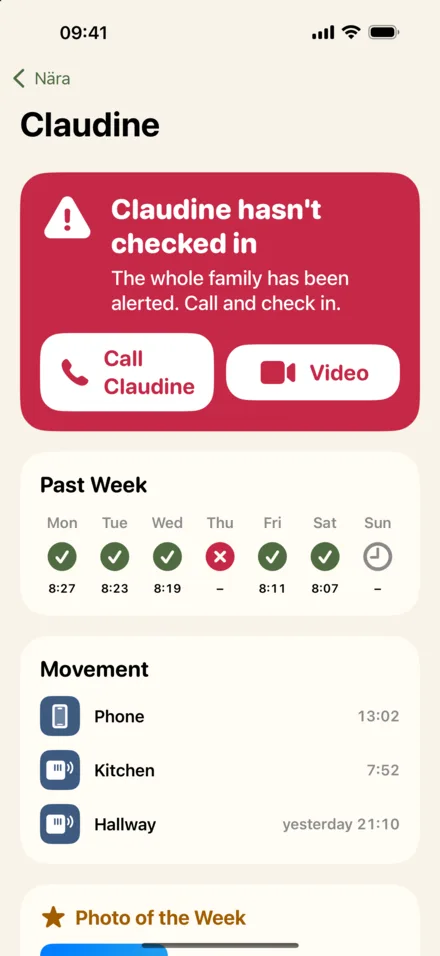
Nära on a family member's iPhone: today's status, last movement and the news feed
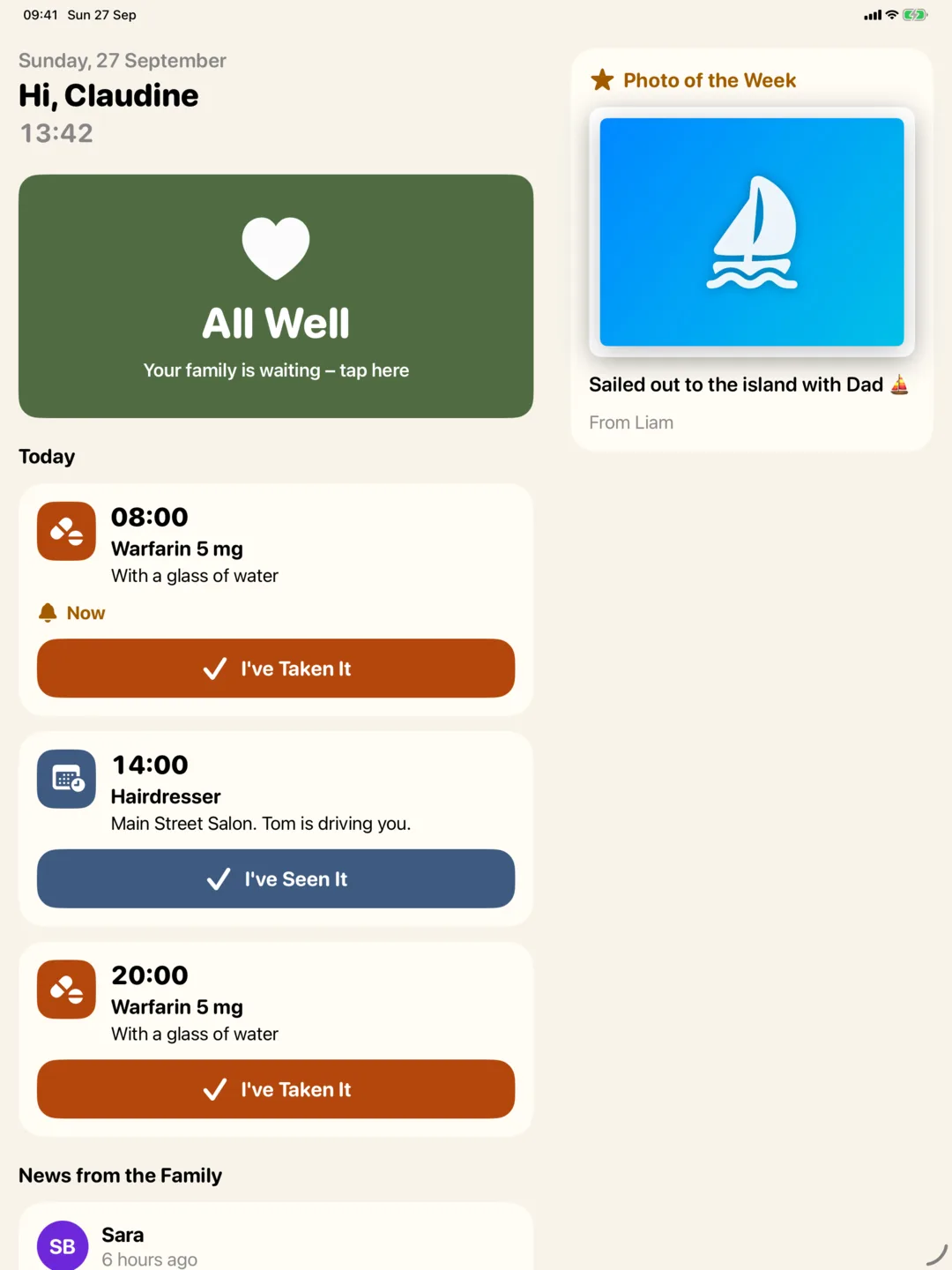
Nära on iPad as a dedicated screen at the senior's home
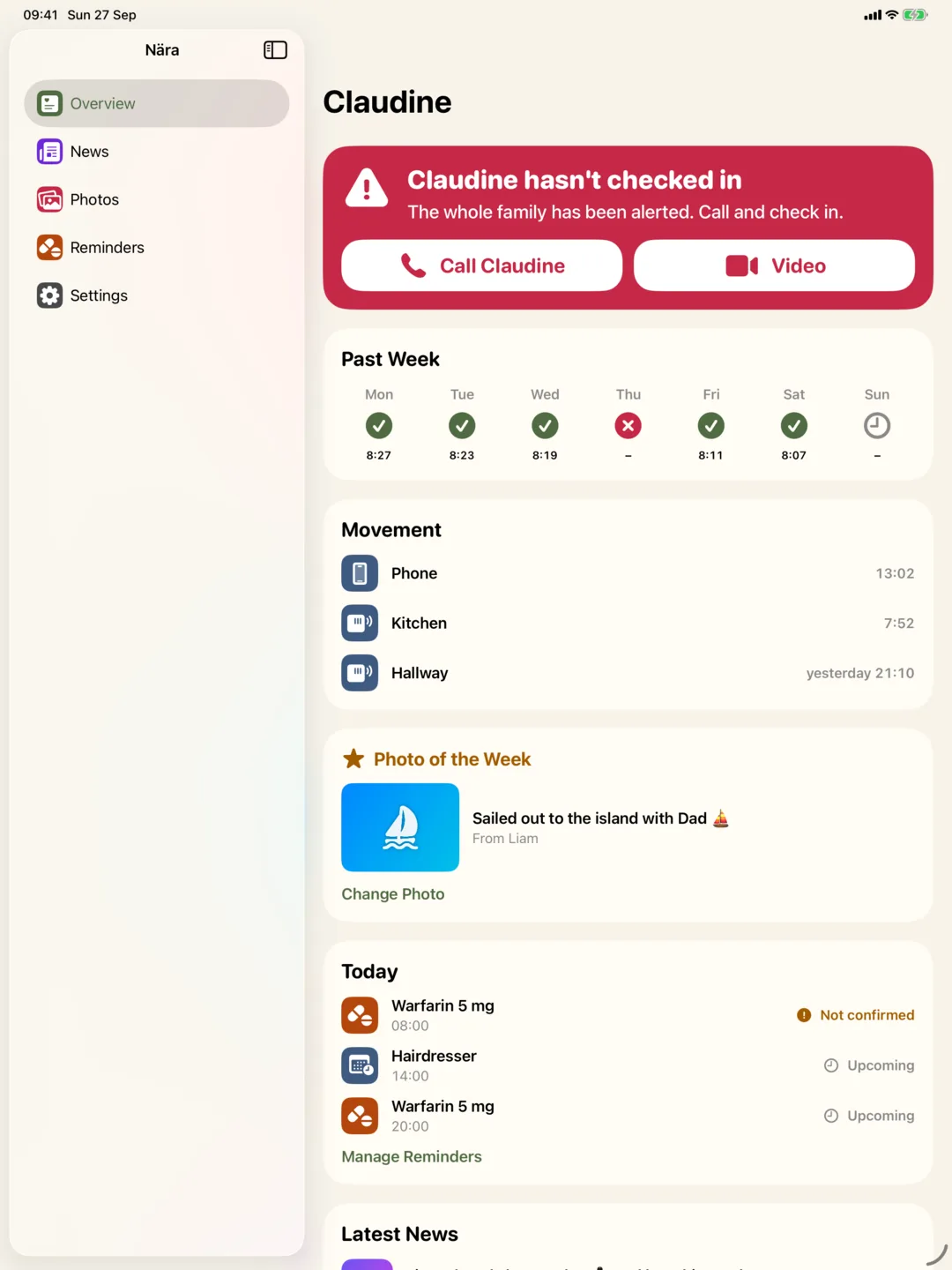
The family overview on iPad

What the app does

01

One button: All Well

A single, large button that says “all is well”. One tap in the morning and everyone in the family sees the time on their own phone or Mac. No menus to learn, nothing to set up on the senior’s side.

02

Gentle steps if it goes quiet

If no check-in has come by the times you choose, Nära first reminds the senior, then alerts the main contact, and finally the whole family. Motion from the senior’s iPhone, or Philips Hue motion sensors at home, shows when there was last movement.

03

News from the family

Share a photo and a few lines from everyday life. It appears in large print on the senior’s screen, can be read aloud, and a heart or a call is one tap away. Pick a favourite as the photo of the week.

04

Reminders that get a “Done”

Add medicine and appointments from your own phone. The senior gets a clear reminder at the right time and taps Done, and you can see that it was.

05

Set up remotely by the family

Pair once with a QR code. After that, everything is configured from the family’s devices: who appears as big Call and Video buttons, check-in times, minimum text size and colours. Kiosk mode turns an iPad into a dedicated Nära screen.

06

Made to be read

Large type, high contrast and full VoiceOver and Dynamic Type support. Choose sage green or purple and pink for the senior’s screen. Works on iPhone and iPad for the senior, and on iPhone, iPad and Mac for the family.


Close to each other, not to us.

Nära has no accounts, no analytics, no ads and no servers of ours. Check-ins, photos and reminders are shared only within your family circle through Apple’s iCloud, which INNOMEGA cannot access. Leave the circle, or delete it, and everything is gone.